
Paid Tester: Test Online Games
Paid Tester ABLifestyle
4.4644.00 Reviews
- Version
- 1.0.11
- Installs
- 100.00K
- Age Rating
- Mature 17+
Screenshots


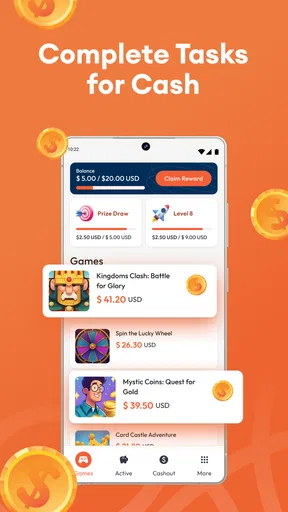



Our Review of Paid Tester: Test Online Games
 Analysis by Appyee
I approached Paid Tester: Test Online Games as a practical way to explore game-testing opportunities rather than as another game to play for entertainment. The app belongs to the lifestyle category and is developed by Paid Tester AB, with a free entry point for people who want to see whether testing multiplayer games can fit around their normal routine. Its central appeal is straightforward: you may be invited to test games ranging from puzzles to action titles and receive payment for participating.
That promise needs to be viewed realistically. This is not a replacement for a regular job, and it is not the same as opening a game and earning automatically while you play. The useful question is whether the app makes the tester side of the process convenient enough to justify checking opportunities, reading requirements, and completing tasks carefully. After spending time with it, I found that its value depends less on flashy presentation and more on how patiently you approach the testing workflow.
How the app feels during everyday use
I find the everyday experience is best judged by how well the app fits around a real stretch of free time, not by how quickly I can open it. Before committing to a game test, I’d weigh the task against my phone’s available storage, battery, and connection, then decide whether I can give it proper attention. That practical routine also makes the question of trust and user control worth considering.
Quick access matters more than visual excitement
The first thing I noticed is that an app built around testing needs to get out of the way quickly. A tester usually opens it to check available opportunities, understand what a task involves, or decide whether a particular game is suitable for the device and time available. That makes perceived speed important even when the app itself is not doing anything graphically demanding.
In normal use, I would expect the lightest moments to be browsing, reading instructions, and reviewing participation details. Those actions should feel more like checking a work noticeboard than launching a large mobile game. The app’s purpose is practical, so a clean route from opening the application to understanding the next action is more valuable than decorative animations or a complicated dashboard.
There is also a useful distinction between the speed of the tester app and the speed of the games it may ask you to test. Paid Tester AB’s application is the doorway, while the multiplayer titles are separate workloads. If a test involves downloading or running another game, the experience will naturally depend on that game, the connection, available storage, and the phone itself. I would not judge the entire service by how quickly a puzzle or action title loads on a particular device.
What I would prepare before starting a test
My preferred workflow is to open the app when I have a few uninterrupted minutes, read the complete task instructions first, and only then decide whether to participate. That small habit avoids a common mistake: beginning a test because the game looks interesting, then discovering that the required session is inconvenient or that the task expects more focused feedback than casual play.
I would also keep the phone reasonably tidy before accepting a demanding test. Closing unused apps, checking free storage, and making sure the device is charged are simple steps, but they matter more when a second game has to run for a while. These are not special functions of the application; they are practical ways to reduce avoidable friction when using a tester platform.
A second useful habit is to separate “I enjoyed this game” from “I tested this game well.” A tester may need to notice loading behavior, confusing menus, matchmaking problems, crashes, or moments where instructions are unclear. Treating the session like structured observation produces more useful feedback than simply playing until the title becomes boring.
When the workload becomes heavier
The most demanding moments are unlikely to come from browsing the Paid Tester interface itself. They are more likely to appear when an assigned game is large, graphically intensive, or dependent on multiplayer communication. Action games can place more pressure on the phone than puzzle games, especially when a test requires repeated sessions rather than a quick first impression.
This is where expectations should stay grounded. A newer phone with comfortable storage will generally be a better candidate for varied testing than an older device that already struggles with everyday apps. Even though the minimum operating-system requirement is Android 7.0, meeting that requirement does not guarantee that every modern multiplayer game will run smoothly. Operating-system compatibility is only the starting point; hardware age, memory, graphics capability, battery condition, and network quality can still shape the experience.
I would be particularly careful with long sessions on a phone that heats up easily. Heat can lead to reduced performance, faster battery drain, and a less comfortable testing experience. If the task allows breaks, taking them is sensible. If the phone becomes unusually hot or unstable, continuing simply to finish a session may produce poor feedback and put unnecessary stress on the device.
Another heavy-use situation is multitasking. A tester may want to switch between the game and notes, instructions, or another communication tool. On a device with limited memory, returning to the game can cause it to reload or lose its place. That is not necessarily a fault in the tester app, but it can affect how practical the assignment feels. I would read instructions carefully before switching away, because the safest workflow is often to remember the key steps and complete the session without repeatedly forcing the phone to juggle applications.
Reliability is more than simply opening the app
For this kind of service, reliability has several layers. The first is whether the application opens and lets me review opportunities. The second is whether the instructions remain understandable while I work. The third is whether the tested game behaves consistently enough for me to report what happened. Finally, there is the question of whether I can recover sensibly after a failed launch, lost connection, or interrupted session.
I would not treat one slow screen or one failed game launch as proof that the whole platform is unreliable. Multiplayer testing involves outside factors that can change from one title to another. A network interruption, a game-side problem, or an overloaded device may create a failure that is not caused by Paid Tester. The important response is to record what happened accurately rather than guessing at the cause.
That is one of the strongest reasons to approach the app with a tester’s mindset. If a game freezes after returning from the background, if a session ends after a weak connection, or if a menu becomes unresponsive, those details are potentially useful observations. The inconvenience may be part of the test rather than evidence that participation is pointless. At the same time, repeated failures without a clear way to continue would make an assignment poor value for my time.
Recovery is easier when I avoid rushing. After an interruption, I would first check whether the phone still responds normally, then reopen the relevant game or tester screen and reread the task requirements before trying again. Restarting everything immediately can erase the sequence of events that matters most. A short note about what I tapped, what changed, and whether the connection was stable is more useful than a vague report saying that the app “did not work.”
Device limits deserve serious attention
The application is free, which lowers the barrier to trying it, but testing can still have indirect costs. A suitable device, a stable connection, battery capacity, and enough storage all influence whether an assignment is comfortable. If the phone is shared with family members or used for work, installing and running additional multiplayer games may be inconvenient even when the tester app itself is small and easy to access.
I would also think about the age rating. Paid Tester carries a Mature 17+ content rating, so it is not an appropriate recommendation for younger users. That rating is important before installation, especially on a family-managed device. Adults should still consider the content and context of each testing opportunity rather than assuming that every available game will suit their preferences.
Android users with an older phone should see Android 7.0 compatibility as a basic access point, not a performance promise. A device may install the application and still be a poor match for demanding action games. In that situation, the app may be useful for checking lighter opportunities, but it is less attractive if the main goal is to test visually demanding multiplayer software.
There is also a battery trade-off that is easy to overlook. Testing a game for a meaningful period can consume more power than browsing the tester app. I would begin longer sessions with a good charge and avoid relying on a nearly empty battery. If the phone must remain plugged in while playing, cable placement and heat become practical concerns, particularly during action-heavy testing where the device is already working hard.
Who will get the most from it
I think the app is best suited to adults who already enjoy trying unfamiliar games and can provide patient, specific feedback. It may fit students, flexible workers, or casual players who are comfortable checking opportunities without expecting one to appear exactly when they want it. The strongest candidates are people who can follow instructions closely, tolerate occasional technical friction, and understand that payment is connected to completed testing work rather than ordinary playtime.
A realistic everyday scenario would be checking the app during a quiet evening, choosing a suitable opportunity, reading the instructions before downloading anything, and setting aside a focused block of time for the session. Afterward, the tester can write down the exact point where a menu confused them, a match failed, or the game performed differently after returning from the background. That approach is more productive than opening the assignment while commuting or trying to squeeze it into a few distracted minutes.
The app is less suitable for someone seeking instant, predictable income. It is also a weak match for users who dislike installing unfamiliar games, have very limited storage, or own a phone that struggles with multiplayer titles. People who only want a polished gaming experience may find the tester role frustrating because glitches and rough edges are often precisely what need attention.
How it compares with ordinary alternatives
Compared with simply downloading games from a standard app store, Paid Tester offers a more purposeful reason to try something unfamiliar. The usual alternative is to play for entertainment and move on when the experience stops being enjoyable. Here, the point is to observe the experience and potentially earn from completing the testing activity. That makes it more structured, but also less spontaneous.
It is also different from survey applications. A survey usually asks for opinions in a short question-and-answer format, while game testing can require time inside an actual multiplayer title. The trade-off is clear: game testing may feel more engaging for someone who likes interactive software, but it can demand more battery, storage, concentration, and patience than answering a short questionnaire.
Compared with freelance work platforms, the app appears easier to approach because its focus is narrow and its entry price is free. However, that simplicity should not be confused with guaranteed consistency. A freelance marketplace may offer broader categories of work, while this app is specifically relevant to people interested in games and testing. I would choose it for a low-commitment way to explore this type of task, not as my only income plan.
Small workflow choices that improve the experience
My first practical tip is to read the entire assignment before launching the game. This prevents wasted downloads and helps me decide whether the required device, time, and concentration are available. It also makes feedback more precise because I know which part of the experience deserves attention.
My second tip is to keep a simple timeline during longer tests. I would note when the game started, when a problem appeared, and what happened immediately beforehand. This is especially useful for intermittent issues that disappear after restarting. A timeline can turn a frustrating session into a clear report.
My third tip is to test one variable at a time when possible. If a connection problem appears, I would avoid changing the network, closing the game, and restarting the phone all at once. Changing everything makes the cause harder to identify. A controlled retry gives better information and helps distinguish a repeatable issue from a one-off interruption.
A fourth useful habit is to protect personal time. Because the app is free to install, it is tempting to accept every interesting opportunity. I would instead compare the expected effort with the reward and the device demands before committing. A task that requires a long session on a hot, low-battery phone may not be worthwhile even if the game itself looks appealing.
What the ratings and maturity label suggest
Paid Tester has a 4.4 average from around 5.1 thousand ratings, with over 100 thousand installs. Those figures suggest that the concept has attracted a meaningful audience and that many users find the basic idea worthwhile. They do not remove the need for personal judgment, because tester experiences can vary with device, location, available opportunities, and tolerance for technical issues.
The app has 644 reviews, which gives prospective users more context than an isolated rating alone. I would still read recent comments with a specific purpose: look for patterns involving task clarity, reliability, device compatibility, and whether users understand the difference between testing a game and simply playing it. The most useful reviews are usually the ones that explain the circumstances rather than only praising or criticizing the service.
The Mature 17+ label should remain part of the decision, not an afterthought. Adults who are comfortable with that rating may find the app relevant, while parents looking for a child-friendly earning activity should choose something else. The label also reinforces that the service should be evaluated as an adult-oriented testing opportunity rather than a general family game platform.
Version and long-term expectations
The current version is 1.0.11, so I would keep expectations practical and pay attention to how the application behaves after updates. A newer version can improve the tester experience, but it can also change navigation or the way an assignment is presented. Before starting an important session, I would make sure the app is up to date and reread the instructions rather than relying on memory from an earlier use.
The release date is Jan 29, 2026, which places the app in a relatively early stage of its public life. That makes flexibility valuable. Early versions can feel straightforward while still developing their workflows, and users may encounter rough edges that become less noticeable over time. I would be willing to try it, but I would not build a rigid routine around it until I had personally seen that the opportunities and testing process fit my schedule.
My performance verdict
My overall view is that Paid Tester: Test Online Games is most convincing as a focused gateway for adults who enjoy examining multiplayer games and can treat the activity seriously. The tester app itself should be thought of as the lightweight part of the experience; the real performance demands come from the games being tested, the phone running them, and the connection supporting them.
I like the low-risk starting point because the app is free and its purpose is easy to understand. I also appreciate that it can turn ordinary curiosity about games into more structured observation. The main limitations are equally clear: opportunities may not suit every schedule, demanding games can expose device weaknesses, and people expecting automatic or dependable earnings are likely to be disappointed.
If I were recommending it to a friend, I would say: try it when you have an adult-compatible device, enough storage, a stable connection, and realistic expectations about the time involved. Start with manageable assignments, record problems carefully, and judge the service by whether the work fits your routine rather than by the excitement of a single game. For patient testers, it is worth exploring. For anyone wanting effortless rewards or a guaranteed stream of tasks, a different kind of app would be a better choice.
Verdict
Strengths of Paid Tester: Test Online Games
- Flexible testing tasks can fit around your schedule.
- Offers a way to discover new mobile games early.
- Simple task-based format is easy for beginners to follow.
- Useful for sharing practical feedback as a regular player.
- May provide extra income for completing eligible tests.
Limitations of Paid Tester: Test Online Games
- Test availability may vary considerably by location and profile.
- Some tasks require detailed reports after playing the game.
- Payments may take time to process after a test is approved.
- You may need to meet specific device or player requirements.
- Not every completed session is guaranteed to qualify for payment.
Similar Picks in This Category
View All
SmartThings
Samsung Electronics Co., Ltd.4.6

Google Home
Google LLC4.0

Pinterest4.2

Astrotalk - Talk to Astrologer
Astrology & Horoscope4.7

My Verizon
Verizon Consumer Group4.5

Samsung Wallet (Samsung Pay)
Samsung Electronics Co., Ltd.4.1
Frequently Asked Questions
What is Paid Tester: Test Online Games?
Paid Tester: Test Online Games is an app that connects users with opportunities to test games and provide feedback. After installing it, users can typically browse available testing tasks, review requirements, and submit opinions about gameplay, usability, bugs, or overall quality. The availability of tests may depend on your location, device, profile, and current campaigns.
Can you really earn money with Paid Tester: Test Online Games?
The app may offer rewards for completing eligible game-testing tasks, but earnings should not be considered guaranteed or consistent. Payment amounts, qualification rules, and withdrawal conditions can vary between assignments. Some users may receive more opportunities than others, while new testers might need to complete profile information or screening questions before being selected for paid studies.
How do game-testing tasks work in the app?
A typical task involves reading the instructions, downloading or opening a specified game, playing it for a required period, and answering questions or submitting written feedback. Some tests may request screenshots, recordings, bug reports, or opinions about controls and performance. It is important to follow every instruction carefully, because incomplete or low-quality submissions may not qualify for a reward.
What permissions and personal information does the app require?
Before using Paid Tester: Test Online Games, review the permissions and privacy policy carefully. A testing platform may request account details, demographic information, device data, or access needed to verify participation and evaluate game performance. Avoid providing unnecessary sensitive information, and check how data is stored, shared, and deleted. Permission requirements can also change after app updates.
Is Paid Tester: Test Online Games available for everyone?
Access is not necessarily the same for every user. Testing campaigns can be limited by country, age, device model, operating system, language, gaming experience, or demographic profile. Even if the app is available for download, there may be few or no active tests in your area. Read each campaign’s eligibility requirements and never assume that installing the app guarantees an invitation or payment.
